

How to keep the enquiries coming in when your website is under construction (without living on Instagram)
Congratulations! You've finally taken the leap and put your website under construction while you give your design or copy (or both) a much-needed, overdue glow-up. Heck yeah!
You're not too stressed about it, but you can’t think of anything worse than having to go ham on Instagram every day to stay visible while you wait for it to go live.
Because you still want to keep the momentum going, and keep your potential client interested when they don’t have your website to help them decide to work with you.
Well, I’m here to tell you that you don’t have to rely on social media to show people you still exist and that you’re still taking enquiries.
A website under-construction page for a creative business owner doesn’t mean lost leads; it means you just have to get a little creative with how you direct people to your offers so you can keep the enquiries coming in.
Here are four practical, simple ways to give your potential client the information they need to hire you while your website is offline (and I have tried all of these, so you are getting my opinion from real experience!)
1. Turn your homepage into a links page
Note before we start: I use Squarespace for my website, so for this tip I’m going to refer to Squarespace. You can easily use this tip with any website builder though!
Squarespace makes it super easy to build a branded links page as a temporary homepage. So your domain still works, and your page is still “so you”.
A links page is an effective alternative for when your site is under construction. It displays all your relevant links to direct your potential clients where you want them to go.
Examples of links you can include, but are not limited to, are:
Instagram profile
LinkedIn profile
External portfolio, if you have one
Lead magnet or newsletter sign-up
Schedular/calendar to book a call
Along with this, include an introduction about yourself (what you do and who you help) and a message stating that your website is currently under construction but you are still accepting enquiries (use your unique brand voice too!)
This is so that anyone who lands on your website will clearly see that you are still around, but you are in the process of refreshing your website, deep in “loading mode”.
To make it even easier for your viewer to enquire, include a contact form at the bottom of your page.
Here are some easy steps to follow when building your links page in Squarespace:
In Squarespace, create a new page, call it “links”, hide your navigation and set it as your homepage until your website is ready.
So now, when someone lands on your website, they will only see your beautiful branded links page, nothing else.
So you don’t have to resort to Squarespace’s ‘under construction’ page templates, which offer limited design options.
Extra tip: while working on the rest of your pages behind the scenes, in settings, toggle off the ‘enable page’ button and ‘hide from search engines’ button in the SEO tab. This is so no one can access your pages through search engines while you’re editing. All you need to do is toggle these back on when you’re ready to go live.
If you want to find out more about creating a links page, Big Cat Creative have a whole hub of blog posts to help you build your Squarespace site. Or, check out the Squarespace help centre, where you can search for video tutorials on pretty much everything!
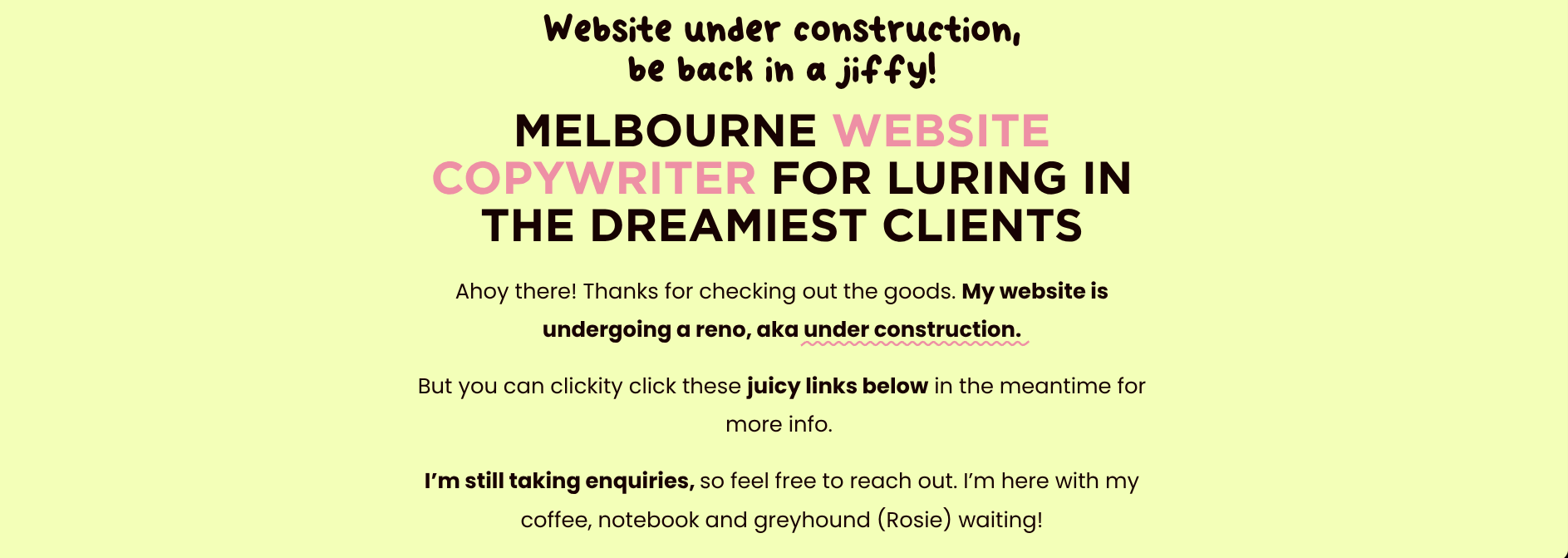

Example: Some screenshots from the links page I created while my Squarespace website was under construction.
2. Set up a ‘link in bio’ page with Campsite or Linktree instead
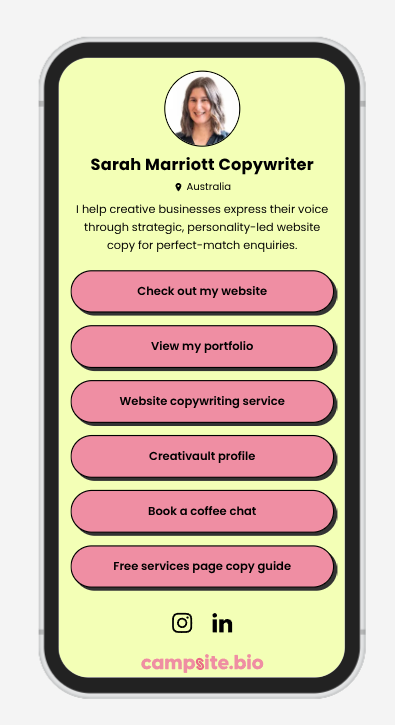
I love how on campsite.bio you can create your profile with your own brand colours and fonts for free!
If you’d rather take your website down completely (because you “can’t even”) without creating a links page directly on your site, you can create one in a different way.
Specific “link in bio” sites like campsite.bio and Linktree (there are heaps out there) are great, no-fuss alternatives for creative businesses if you want something separate from your website. These are standalone hubs that you can also keep using once your website is relaunched.
You can link it in your Instagram or LinkedIn bio, send it directly to potential clients or link it in your email newsletters. The possibilities are endless!
I used campsite.bio when my website was under construction, and it was so easy to use; I still use it today. It’s totally free for a basic profile, and you can apply your brand colours, a photo, a brief description of what you do and your location.
This was such a helpful website alternative for me, because at the time, I had a website designer rejigging my font styles while it was under construction. So while she was working on it, sometimes the colours and fonts would change, and I didn’t want to direct people there because it looked a bit chaotic. A Campsite bio was perfect, keeping everything neat and clean, and directing people to my other platforms.
Take a look at my Campsite bio link
3. Create a services guide and portfolio in Canva
A shareable PDF or external mini-website you can build in Canva makes it easy to give your potential client all your information, without your website. You can include your services, packages, prices, portfolio, testimonials, and contact information.
Canva is a helpful design program for creating a live portfolio-style website with its own link. It’s free and mobile-responsive, which is an added bonus.
My website was under construction for what seemed like forever because I rewrote all my copy, and I'll tell you what, it was a mammoth job (yes, even for a website copywriter!) And that was just the copy; I still had to rebuild my website pages! I wanted to have this external service and pricing guide to send to potential clients, because it would serve me well for a long time.
And if you decide not to create a links page, then this is a smart option to have ready. So if anyone asks you about your packages or pricing, all you have to do is send them your services guide PDF or link, and they have everything they need. It makes you look professional (and like you have your sh*t together too).
I created both a separate service/pricing guide and a portfolio link in Canva. Check them out below if you need some inspo on how to set up yours:
→Service + pricing guide
4. If it's just one page that's down, get specific with redirects
“But Sarah, what if I’m just updating one page of my website, and don’t need the whole thing taken down?”
I thought you’d never ask.
If you’re only updating one page and think it’ll take some time, I suggest setting up a temporary page with redirects.
This is similar to a links page, but you would make the redirects/links relevant to your specific page.
For example, I relaunched my website, but I still had to rebuild my about page. So I decided to duplicate the page and update it with links relevant to “about me”.
I started with a header that said “New about page coming soon.” Then I included some relevant links to Instagram posts about me, my business and brand story, so if my viewer was specifically looking to learn more about me, they could do so through these posts.
It kept things relevant, and I wasn’t directing them to random things; I was being strategic and appealing to their intent. I also included a link to a guest podcast episode I was on, showcasing my knowledge and expertise, serving as a credibility booster.
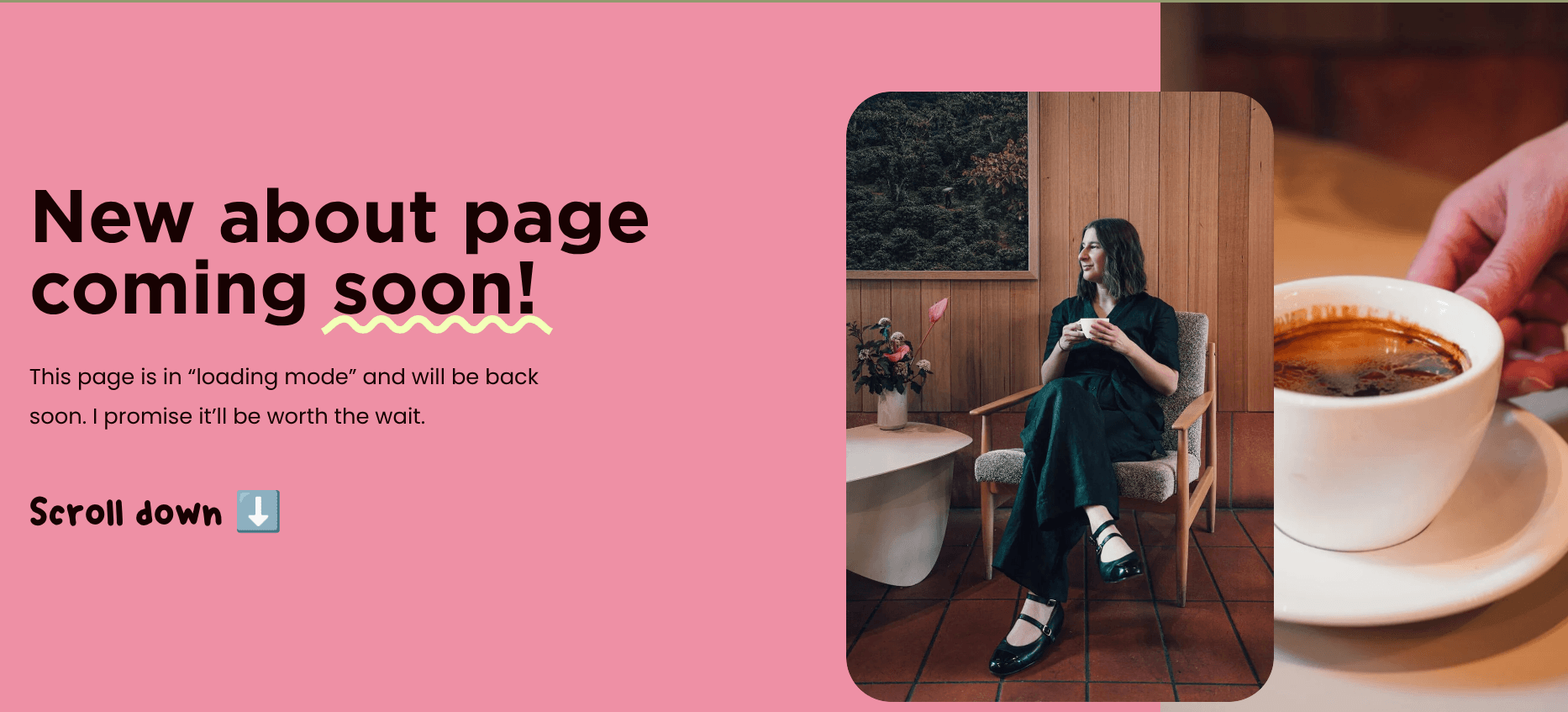
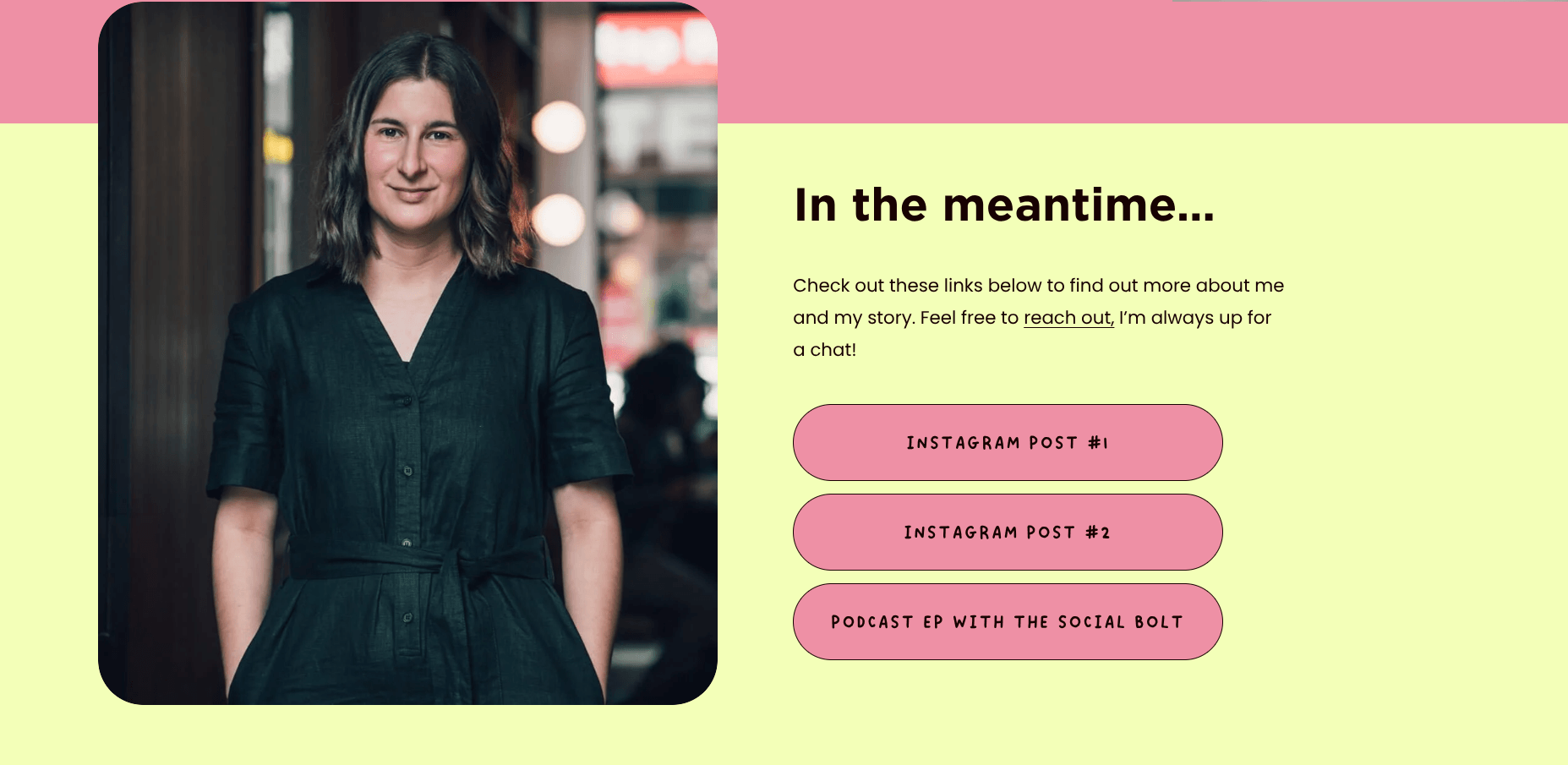
Example: Screenshots of my temporary about page set up with specific “about me themed” links to redirect my viewer and keep them interested.
So anyone who landed on my about page would see this temporary page while I worked on the real page in the background.
So, for example, if you were just updating your services page, you would include links to specific social media posts that explain or describe your services (like a “work with me” post) and maybe your lead magnet, to get more leads onto your email list. You could also include a blog post that answers relevant questions about your services.
Now, I know what you’re thinking. It may feel like “extra work” or “double handling”. In my opinion, it’s worth it, because you are showing your viewer that you care, and that you are guiding them towards the information they want. The temporary page does not have to be extravagant or time-consuming to build, just something simple to keep you top of mind.
Optional tip: If you’re feeling creative on a Sunday afternoon and you’re avoiding doing your laundry, make a sales page for your main offer in Canva. Turn it into a PDF or a live Canva site, and link it to your LinkedIn profile in the ‘featured’ section.
While I was rewriting all my website copy, I made a separate page for my done-for-you website copywriting service. This was so I could still inform interested people of my main offer, and they could still check out all the details, even without a full website.
The final word from a website copywriter for creatives
I want to remind you that actually making the time and effort to update your website is a good thing! It means you are levelling up, ready to attract perfect-match, premium clients to your kickass creative services.
So while you’re in the middle of your updates, remember to be strategic, keep the lights on, and keep the enquiries coming in with these easy tips. You don’t have to abandon your website completely or burn out on social media to stay visible.
Keep things going in the background, and you will feel so much better when you can relaunch your website with confidence.
If you try any of these methods, I’d love to hear how you go, so feel free to send me a DM on Instagram or LinkedIn and tell me how you went.
And while you're giving your website a glow-up, it's the perfect time to make sure the words are doing you justice, too. So if you need some help from a pretty cool wordy gal, check out my copywriting services and let’s turn your website into your round-the-clock sales tool.
Please note: None of the websites, companies, programs or links mentioned in this blog post are affiliates. All references are genuinely recommended by me because I’ve tried them myself, had positive experiences and want to share!